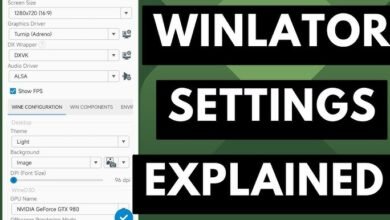
The Meta Quest 3 (and 3S) runs on the Snapdragon XR2 Gen 2 chipset featuring the Adreno 740 GPU. Because this GPU supports full Vulkan 1.3, pairing the Mesa Turnip driver with DXVK yields the best performance and compatibility when running Windows games in WinlatorXR.
Below are the optimal Turnip driver versions, DXVK tweaks, environment variables, and container configurations specifically tailored for Quest 3 hardware.
1. Optimal Turnip Driver Configuration
Because the Adreno 740 is a modern GPU, using outdated Turnip drivers will cause visual glitches or driver hangs.
-
Recommended Driver Version: Turnip v24.x or v25.x (Adreno 7xx series). Avoid older legacy v23 drivers designed for Adreno 6xx (Quest 2).
-
Graphics Driver Option: Select
Turnip (Adreno)inside container settings. -
VKD3D Version (For DirectX 12): Use
VKD3D 2.12+(only use for lightweight DX12 games; DX11 is far more efficient on standalone VR).
2. DXVK Version Selection & Tweaks
DXVK converts DirectX 9, 10, and 11 calls into Vulkan. Choosing the right DXVK version prevents memory crashes and stuttering:
-
For Modern / Heavy DX11 Games: Use DXVK 2.3 or 2.4.1. These versions offer superior shader compilation pipelines and asynchronous thread handling.
-
For Older / Memory-Constrained Games: Use DXVK 1.10.3. Modern DXVK 2.x requires more RAM/VRAM, which can trigger Android’s Out-Of-Memory (OOM) killer on Quest 3 during longer sessions.
-
Async Shader Compilation: Always enable GPL (Graphics Pipeline Library) if available in your build. This eliminates most mid-game shader compilation stutters.
3. Essential Environment Variables
Add these environment variables to your WinlatorXR Container settings (Container Settings > Environment Variables) to tune the Mesa driver and DXVK layer for Quest 3:
| Variable Name | Value | Purpose / Benefit |
TU_DEBUG |
noconform |
Disables strict Khronos Vulkan compliance checks, delivering a 10–15% FPS boost on Snapdragon chips. |
MESA_VK_WSI_PRESENT_MODE |
mailbox |
Prevents screen tearing without locking the frame rate to strict V-Sync, smoothing out spatial tracking in OpenXR. |
MESA_SHADER_CACHE_MAX_SIZE |
512MB |
Expands on-disk shader storage to reduce micro-stutters when entering new areas. |
DXVK_ASYNC |
1 |
Forces asynchronous shader compilation (if using DXVK-Async patched builds). |
DXVK_HUD |
fps,gpuname |
(Optional) Displays a minimal performance overlay to monitor frame rates inside VR. |
4. Full Quest 3 Container Setup Matrix
To get the best stability, match your Turnip and DXVK choices with these recommended container parameters:
[General Settings]
Screen Size: 1280x720 (Best for 3D/VR Look Mode) or 1600x900 (Flat Screen Theater Mode)
Graphics Driver: Turnip (Adreno)
DXWrapper: DXVK 2.4.1 (or DXVK 1.10.3 for stability)

[Processor & Memory]
CPU Affinity: Toggle ALL Cores ON (Cores 0-7)
Box64 Preset: Performance
Video Memory Size (VRAM): 4096 MB
Offscreen Rendering Mode: FBO (Frame Buffer Object)

[Audio & System]
Audio Driver: ALSA (Low latency)
System Startup Selection: Aggressive
5. Troubleshooting Common Tweaks
-
Game Crashes on Startup: Switch DXWrapper from DXVK to WineD3D (Native). Some early DirectX 9 games prefer Wine’s native OpenGL pipeline over Vulkan.
-
Graphical Artifacts / Missing Textures: Add
MESA_EXTENSION_MAX_YEAR=2003to Environment Variables. This restricts legacy extensions for older games that misunderstand modern Vulkan capabilities. -
Low FPS in 3D VR Mode: Lower in-game rendering resolution to
720p(1280x720) and disable Anti-Aliasing (MSAA/SSAA). Upscaling is handled naturally by the Quest 3 lenses.